Hot search


1. After completing the payment, you can find the products you purchased in Account > My Order > Paid. Once the products arrive at the warehouse, they will be displayed in In stock. We will also send you an email notification.
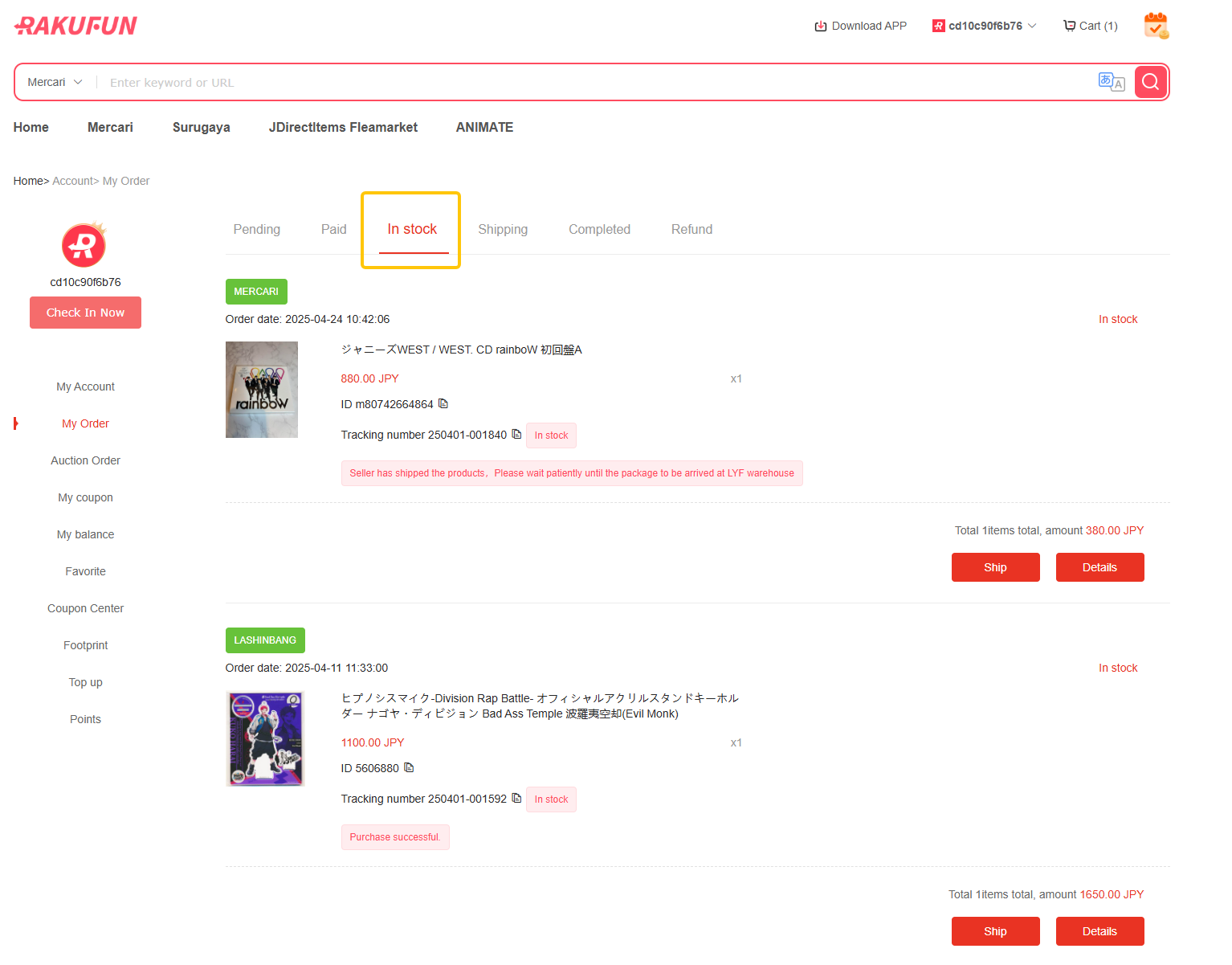
2. Click on "Details" and you can view the order details of the products you bought.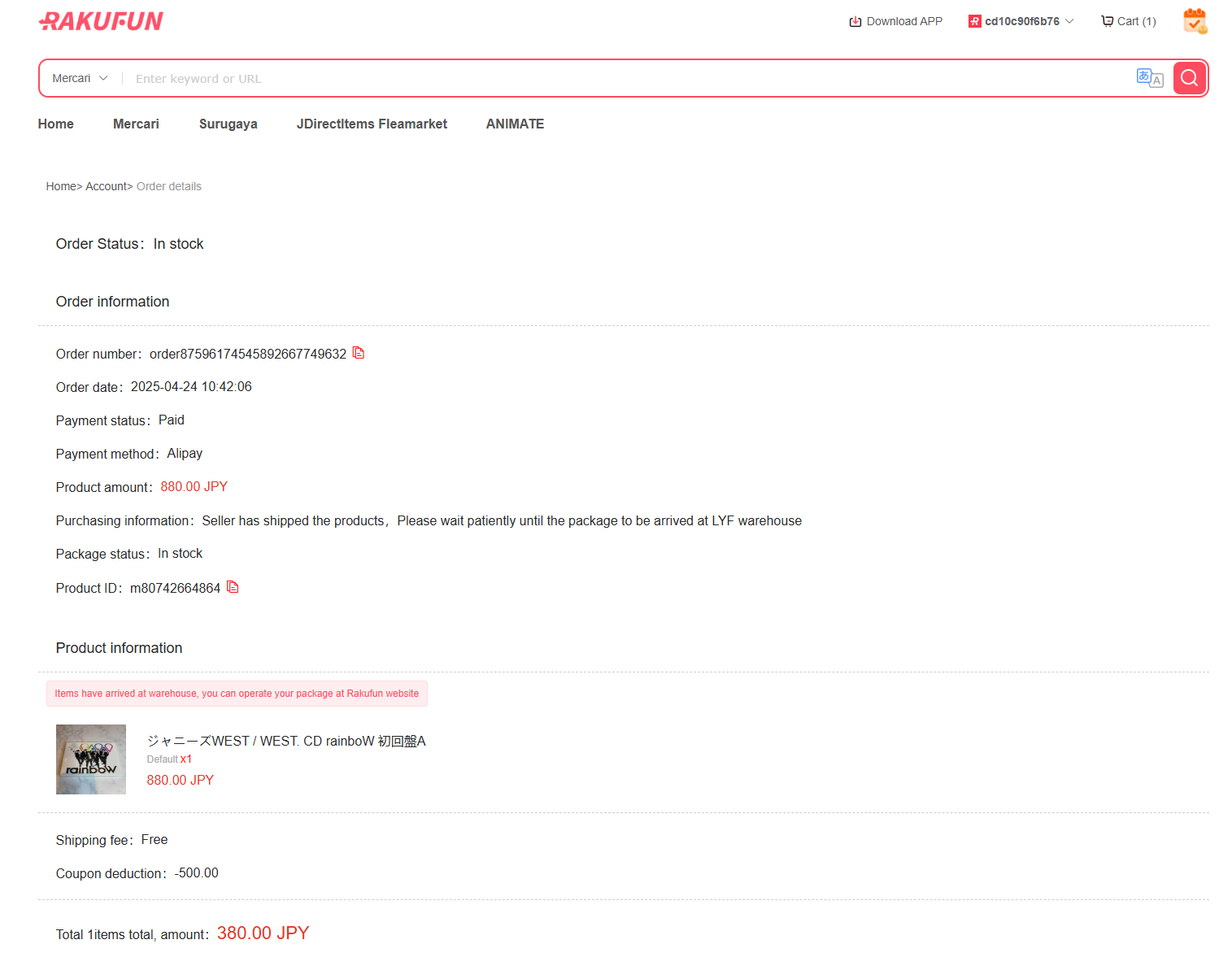
3. Click on "Ship" to enter the shipping processing page and select the products you want to combine for shipping.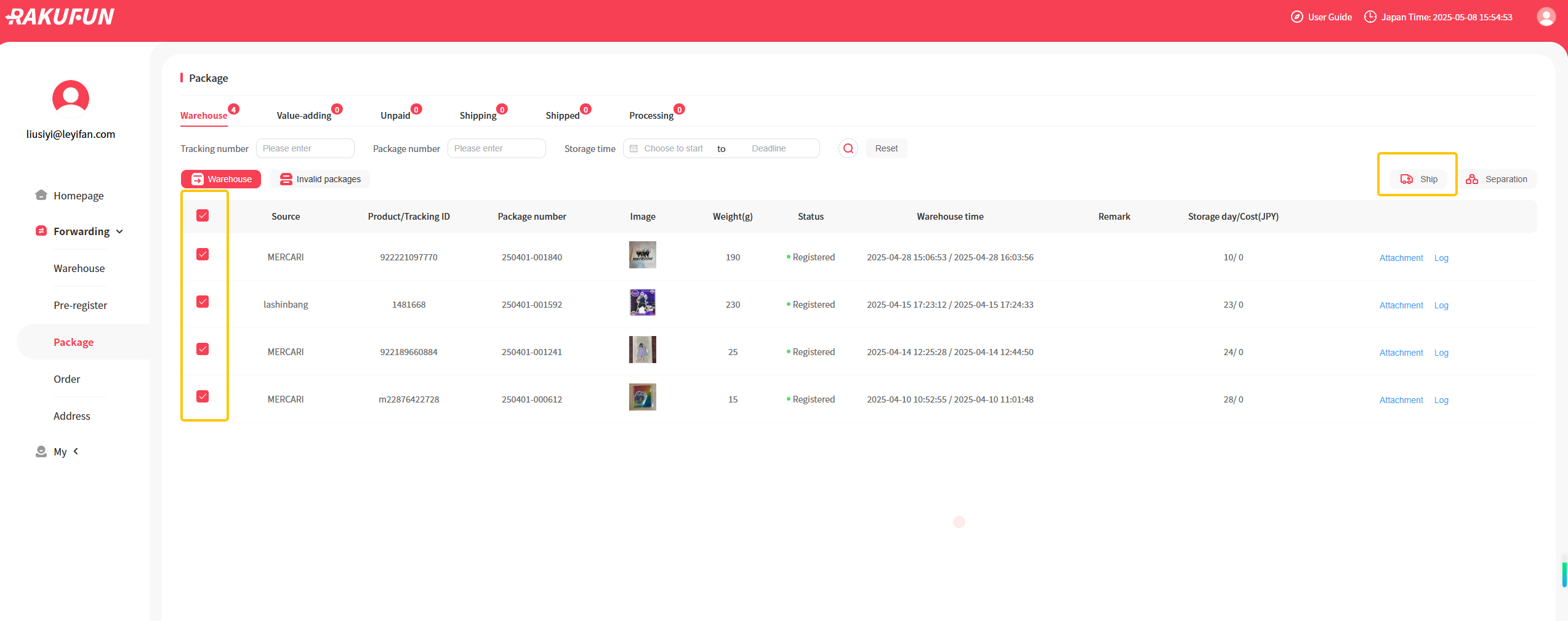
4. Select the shipping route you prefer, the value-added services, fill in the declaration, confirm and submit the shipping application. The warehouse will process it in order after receiving your shipping application.
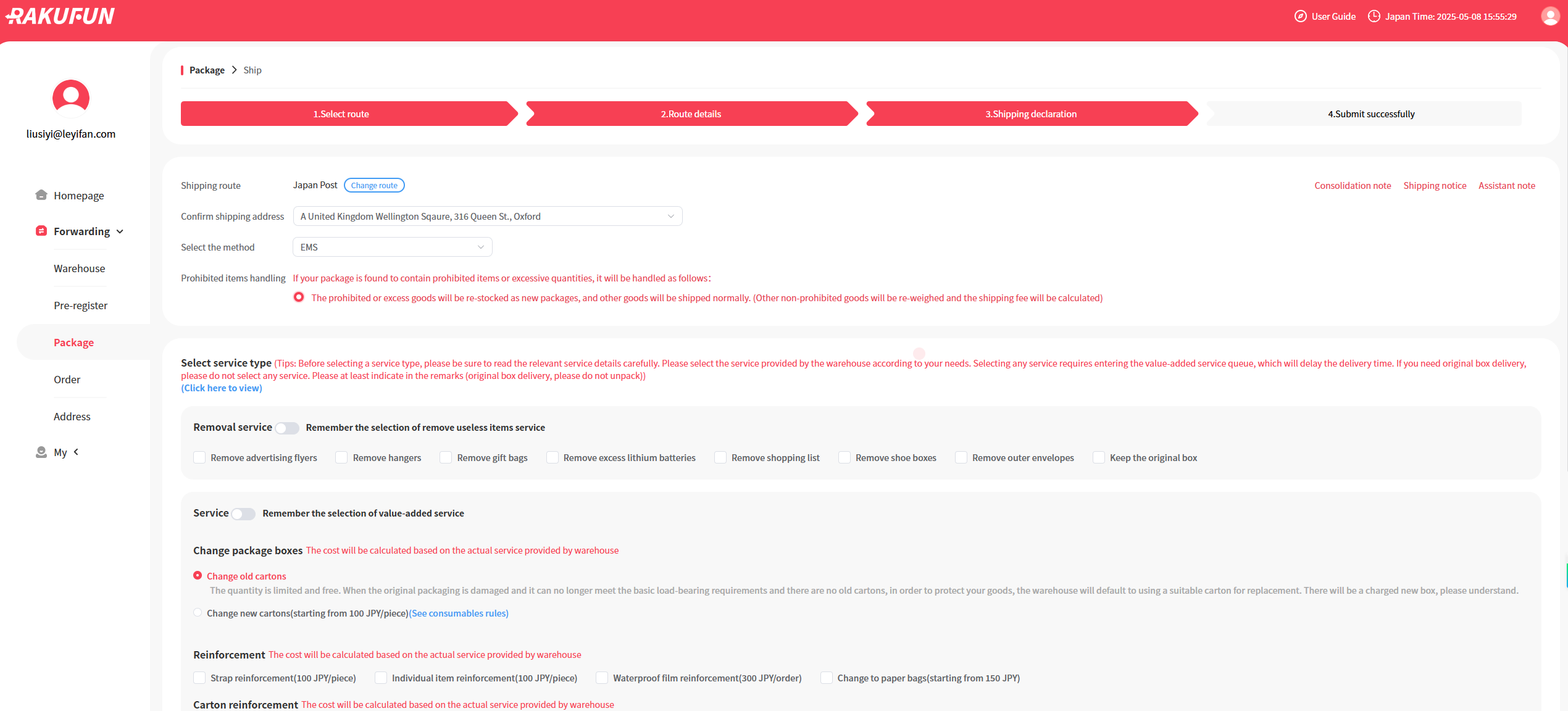
5. After the processing is completed, we will send you an email to notify you of the payment. You can make the payment after confirming that everything is correct, and then you can wait for your adorable Chiikawa items to arrive!
Company & Policies
Payments & Shipping