

DANA Payment Method Notice
Dear Users,
Due to cooperation adjustments, the DANA payment method is temporarily unavailable. Users in Indonesia are kindly requested to use other available payment methods for now.
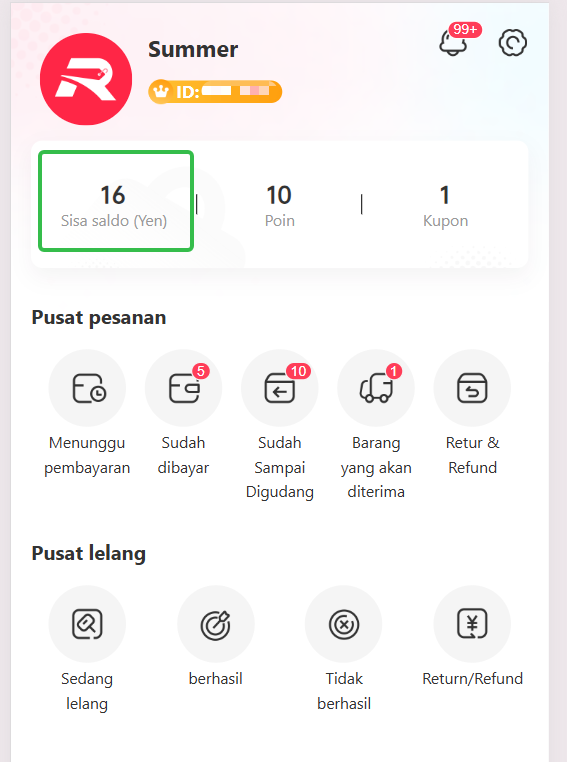
If you need to pay via DANA, please temporarily use the "Sisa saldo-Isi Ulang" method.
Transfer Account Information:
Bank: BCA
0120539884-DINGJINLI
Payment Steps:
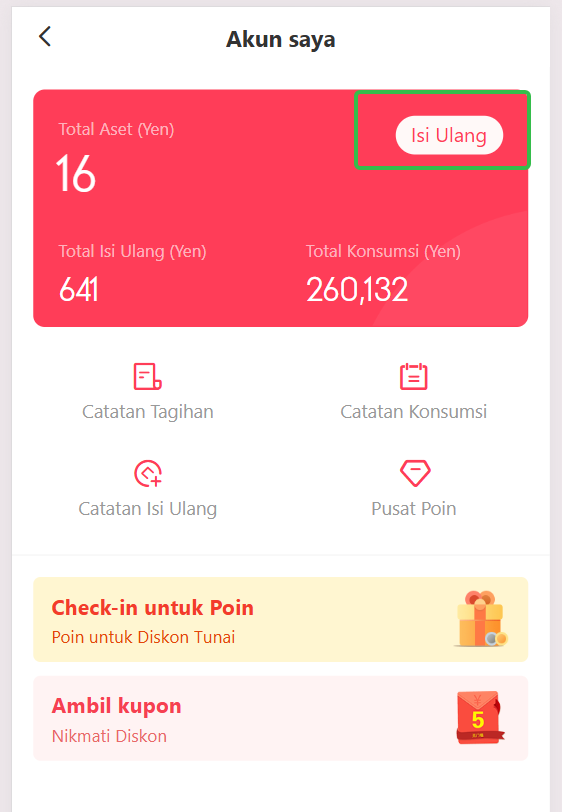
1. Click "Isi Ulang" in the app.
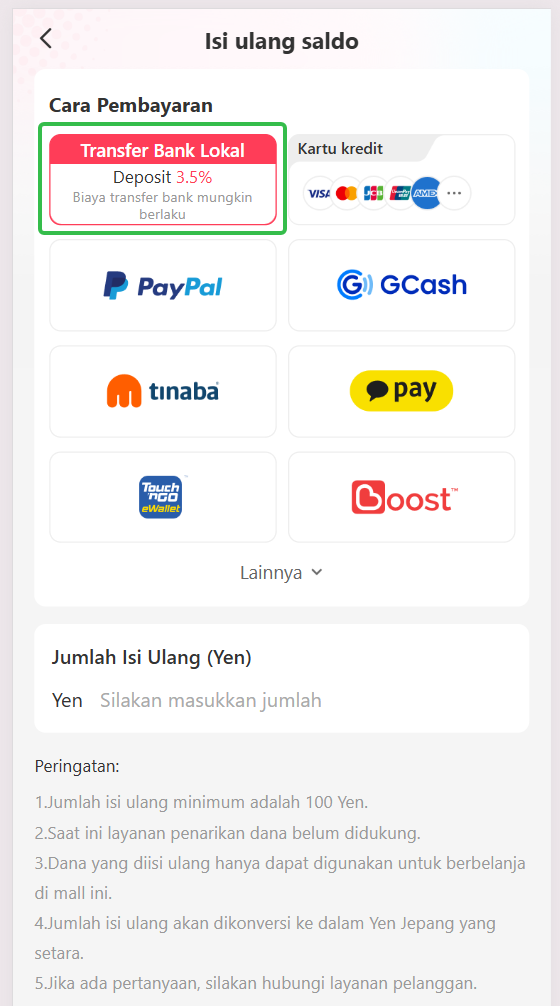
2. Select the "Transfer Bank Lokal" payment channel.
3. Complete the transfer using the account information above.
4. Upload your payment screenshot.
5. Our team will manually review and process your recharge.
Please also refer to the attached images for detailed instructions.
We are actively working with additional payment partners. Any updates regarding restored or new payment methods will be announced as soon as possible.
We apologize for any inconvenience and appreciate your understanding and support.